




Hot Games







Live Cards










Popular Games











Preparing Your Device
Five minutes of preparation prevents most installation failures — a corrupted download here, a blocked install there, a launch crash that turns out to be an ancient OS. The checklist therefore comes before the download, in the order problems usually appear:
- Free space: clear at least a few hundred megabytes, since a cramped phone fails installs in confusing ways
- System updates: install pending OS updates first — an outdated system is the quiet cause behind many “app won’t open” cases
- Connection: use stable Wi-Fi or strong mobile data; a download interrupted mid-file produces a corrupted installer
- Battery: above 30 percent or on charger, because an install that dies with the phone leaves half-written files
- Security settings: know where “install unknown apps” lives on your Android — you will visit it once, deliberately, and switch it back after
The security point deserves one expansion. Android blocks installs from outside Google Play by default, and that default is your friend. The Fairplay app asks you to make a single, conscious exception for a single, verified file — not to disable protection wholesale. Granting the permission to your browser for one install, then revoking it, keeps the door’s default position closed. The distinction sounds pedantic until the day a random page tries to push an installer at you and finds the door already shut.
Android APK Installation
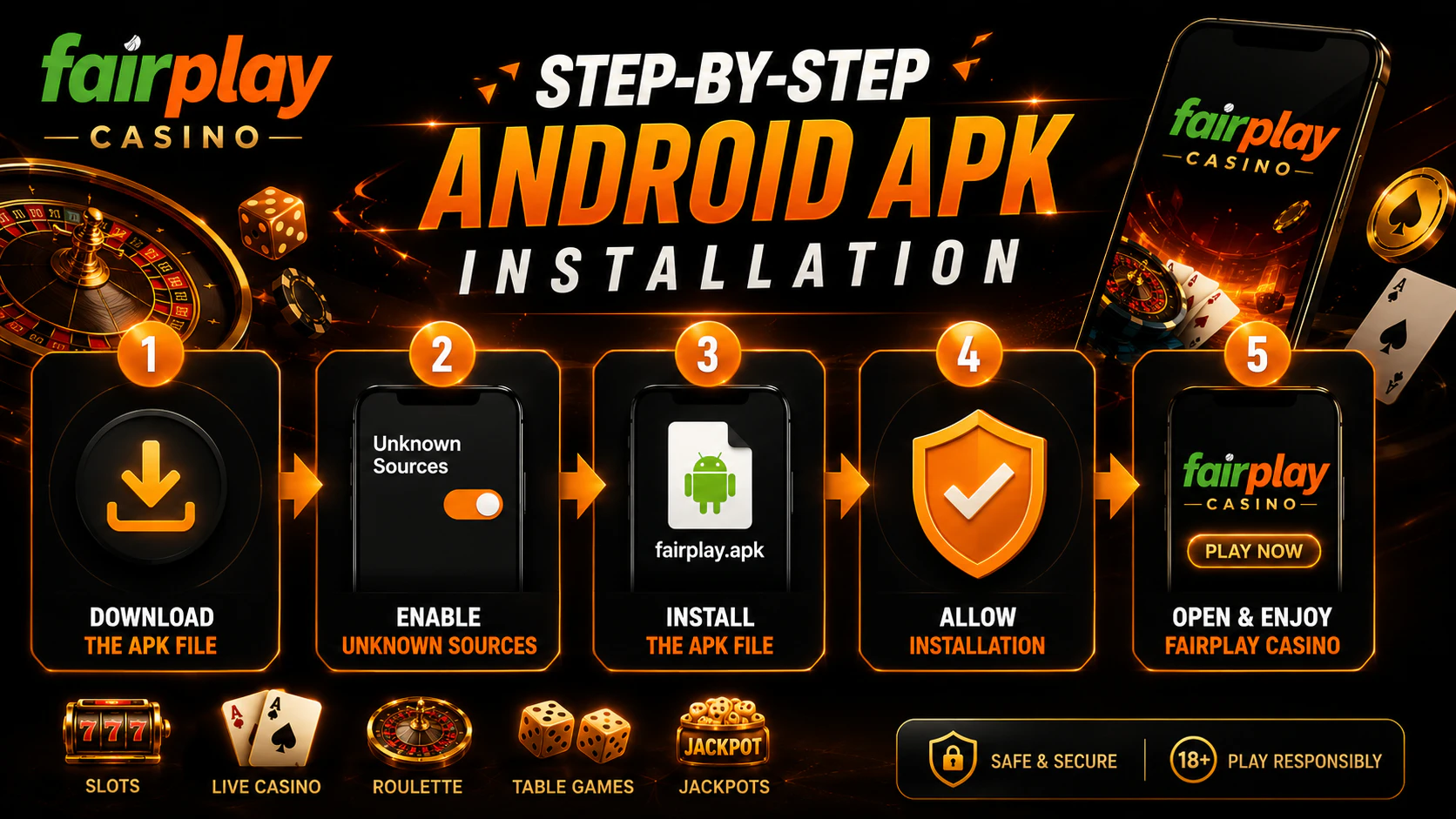
Android is the platform with a real installable app, and the route runs through the official site because Google Play does not carry betting applications for this market. The steps, in order:
- Open the official Fairplay site through a typed address or your own bookmark
- Find the app or download section and start the fairplay app download from there
- When Android warns that the file type can harm your device, that is the standard message shown for any APK from any source — proceed only because you verified this source seconds ago, not because warnings are background noise
- Allow installation from this source when the system asks: Settings, then Apps, then the special access item for unknown apps, granted to the browser you used
- Open the downloaded file and confirm the install
- After first launch, return to settings and revoke the unknown-sources permission, restoring the default that protects against everything you did not choose
The verification habit wraps around those steps. Before tapping download, the address bar shows the exact official spelling over a secure connection; after downloading, the file name looks ordinary — no “mod”, “hacked”, “unlimited” or similar decorations, which mark fakes as reliably as a signature. An APK from a Telegram forward, a forum attachment, or a mirror catalogue is not the same file with a different address; it is an unknown program wearing a familiar icon, and the polished ones are polished precisely because they pay for themselves in stolen credentials.
iOS Fairplay App Installation
The honest iOS answer is shorter than most pages make it: there is no official Fairplay application in the Apple App Store, and any listing claiming otherwise deserves suspicion rather than a download. What iPhone and iPad users actually get is the browser route — and it is better than its reputation. Open the official site in Safari, and the mobile version runs fully: account, cashier, sports, casino, settings. Performance tracks the connection more than the device — on a stable network, the browser version is functionally the app, minus the icon, and the shortcut below restores the icon.
For an app-like experience, the home-screen shortcut covers the gap. In Safari, open the site, tap the Share button, choose Add to Home Screen, and confirm. The result is an icon among your apps that opens Fairplay in its own window without browser chrome — a progressive web app in practice, installed without touching the App Store. Keeping iOS itself updated matters here the same way system updates matter on Android: the browser is your runtime, so its security patches are the app’s security patches. What iOS users should never do is sideload configuration profiles, “enterprise certificates”, or third-party app stores promising a native Fairplay build; that machinery is the standard delivery route for fakes, and no convenience justifies it.
Ensuring App Compatibility
Compatibility questions have short answers, collected here:
| Platform | Requirement | Access route |
| Android | Version 6.0 or newer | Official APK from the site |
| Android (older) | Below 6.0 | Mobile browser as fallback |
| iOS | Current Safari on a supported iPhone/iPad | Browser or home-screen shortcut |
| Any platform | Stable connection, free storage | Applies to install and play alike |
Two practical notes extend the table. On older Android devices that technically meet the 6.0 floor, performance improves with basic housekeeping — close background apps, clear the app’s cache after heavy sessions, and keep a few hundred megabytes of storage free, because Android slows everything when the disk runs full. If the app still struggles on ageing hardware, the mobile browser version is the graceful fallback: lighter on resources, identical in function. And on any device, live sections are the stress test: if streams and live odds stutter, the connection is the usual suspect before the hardware — switch between mobile data and Wi-Fi, then judge again before blaming the phone.
Updating Fairplay App
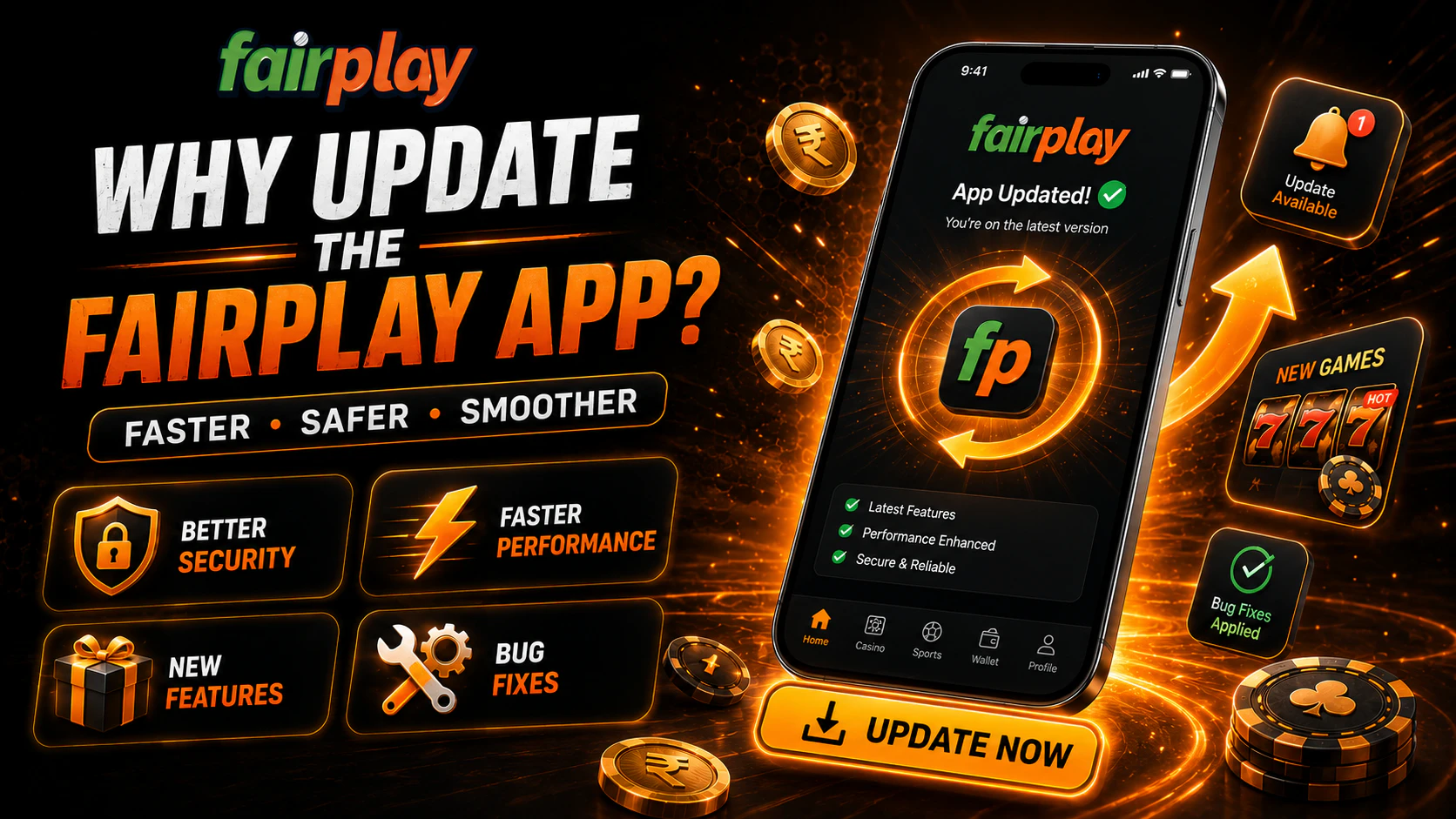
Updates are not cosmetic. Each release closes security gaps, fixes bugs, and keeps the app compatible with the platform’s server side — running a stale version eventually means broken features, and in the worst case, a vulnerable one. Since the app lives outside Google Play, updates do not arrive automatically; the safe update loop is manual and short:
- Watch for the in-app update prompt, which is the official channel announcing a new version — the app telling you about itself, on your screen, beats every external announcement
- Download the new APK from the official site only — the same source rule as the first install, every time
- Install over the existing app; data and Fairplay Login persist through a normal update
- Distrust any “update” arriving by message, email, or pop-up on third-party pages — pushing fake updates is a standard phishing pattern precisely because users expect updates to be routine
On iOS the equivalent is simpler: the site updates itself, and your job is keeping Safari and the system current. Either way, the version that matters is the one the official source distributes today — not the one a mirror catalogue archived last year. Version archives are where outdated, vulnerable, and tampered builds wait for downloaders, and a betting app handling money deserves the current build or none.
Troubleshooting Common Issues
Most installation and launch problems trace to a short list of causes:
| Problem | Likely cause | Fix |
| APK will not download | Unstable connection or wrong page | Retry on stable internet from the official download section |
| APK will not install | Unknown sources blocked, low storage, corrupted file | Grant the permission, free space, re-download the file |
| App will not open | Outdated OS or app version, cache conflict | Update the system, reinstall the current APK, clear cache |
| App crashes mid-session | Memory pressure or background load | Restart the phone, close background apps |
| iOS shortcut misbehaves | Stale shortcut after site changes | Delete the icon and repeat Add to Home Screen |
| Login fails after install | Credential typo or account-side issue | Re-enter carefully; use recovery if it persists |
If a problem survives the table, two escalations remain: reinstall cleanly — uninstall, re-download from the official site, install fresh — and failing that, contact the platform’s support through the official site with the device model, OS version, and a description of what happens. What never helps: downloading the “same” app from an alternative catalogue to see if that copy works. It is not the same app, and the experiment costs more than the problem. The clean-reinstall route exists precisely so that no troubleshooting path ever leads through an unofficial source — every fix in this section starts and ends at the official site, which is the one constant a fairplay app download can rely on.